Construction Budget Tracker
Track every dollar across your entire project. Catch the $23K mistake before it costs you.
Contractors using this template catch budget overruns 3x faster.
The Problem
You're managing a $1.5M build. Your budget lives in a spreadsheet you built at 11pm before the project started. It worked fine — for the first month.
Then the change orders started. The client wants upgraded countertops. Lumber jumped 12%. Your electrician's invoice doesn't match his original bid. You add a row here, adjust a formula there. By month three, you're not sure the totals are right anymore. By month five, you find out they weren't.
The real cost of a messy budget isn't the spreadsheet — it's the $10,000+ mistake hiding inside it that you won't find until it's too late.
Free templates handle none of this. They give you a static list of categories and a total at the bottom. That's a grocery list, not a budget management system.
The Solution
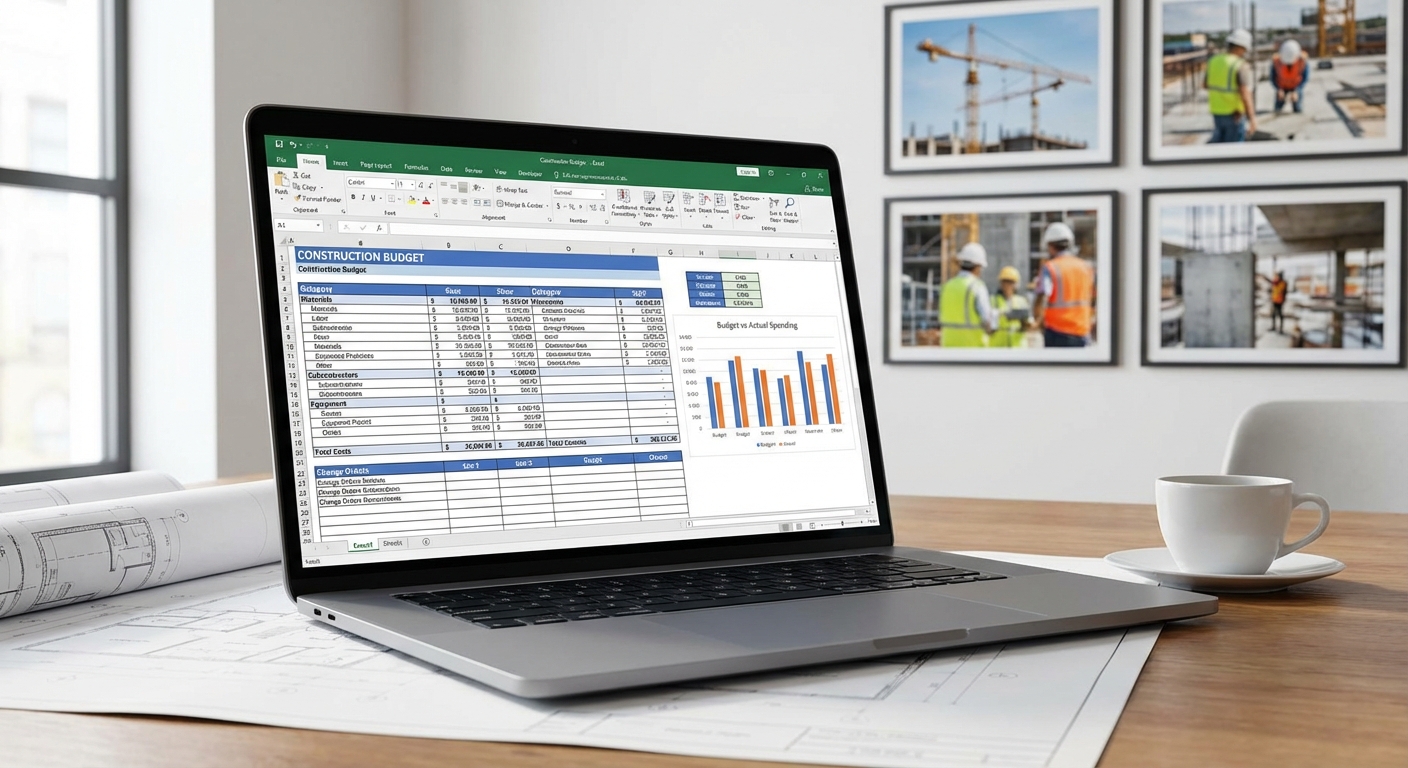
The Construction Budget Tracker is a complete financial command center for your project — designed by a general contractor who spent 15 years managing budgets before building the tool he wished he'd had on day one.
Start with your estimate. Break your budget down by CSI division or your own custom categories. Every line item has a place.
Track actuals in real time. As invoices come in, log actual costs against each line item. The variance column updates automatically — you'll see budget overruns the moment they start, not after they've compounded.
Handle change orders without chaos. Add a change order with a single entry. Watch its impact ripple through your entire budget instantly. No manual recalculation. No wondering if you updated every affected total.
See your financial health at a glance. The dashboard tab shows budget vs. actual by category, percentage complete vs. percentage spent, and projected final cost based on your current burn rate.
Track every payment. Log every invoice from every sub and supplier. Filter by vendor, status, or date. Know exactly who's been paid, who's pending, and what's due this week.
Bill with confidence. For cost-plus contractors: the markup calculator automatically applies your agreed percentage and generates client-facing summaries. For fixed-price contractors: the margin tracker shows your real profit in real time.
Features
- Original budget vs. actual cost tracking with automatic variance calculations
- Change order log with budget impact ripple-through
- Dashboard with visual budget health indicators (charts + conditional formatting)
- Cost-plus markup calculator with client-facing summary export
- Fixed-price margin tracker showing real-time profit
- Payment tracker by vendor, status, and date
- CSI MasterFormat division categories (fully customizable)
- Contingency tracking with automatic drawdown
- Cash flow projection based on payment schedule
- Print-ready summary sheets for lenders and clients
Who is this for?
- General contractors managing residential or commercial projects ($50K–$10M+)
- Remodeling contractors tracking budgets across multiple active jobs
- Owner-builders managing their own construction project
- Construction managers producing professional budget reports for clients and lenders
- Subcontractors tracking their own job costs and profitability
Common questions about this template
“I can find free budget templates online.”
You can. They give you a list of categories and a total. No change order tracking. No variance calculations. No payment logging. No dashboard. And when a formula breaks — and it will — you're on your own. One missed formula error on a $2M project costs more than 100 copies of this template.
“I can build my own.”
You can. At $50/hour, expect to invest 20+ hours designing, building, testing, and debugging. That's $1,000+ in your time. Or download ours in 30 seconds and be tracking your budget in 5 minutes.
“$49 is expensive for a spreadsheet.”
How much does it cost when you miss a $15K change order? When your sub overbills by $8K and you don't catch it? One prevented mistake pays for this template 200x over. It's not a spreadsheet — it's insurance for your profit margin.
Based on 47 reviews
Rated 4.9/5 based on 47 reviews
Verified customer reviews
Verified Purchase
“I used this on a $1.8M custom home. Caught a $23K discrepancy in the framing sub's billing that I would have missed with my old spreadsheet. Paid for itself 400x over.”
Mike Ramirez
General Contractor, Austin, TX
Verified Purchase
“My lender asked for a detailed project budget breakdown. I exported the tracker to PDF and he said it was the most professional submission he'd seen from a small GC. Loan approved in two days.”
Maria Gutierrez
General Contractor, Phoenix, AZ
How does this compare?
You could build your own spreadsheet. You could use a free template. You could pay hundreds per month for software. Or you could be up and running in 5 minutes.
| Free Templates | Build Your Own | PM Software | SheetCraft | |
|---|---|---|---|---|
| Cost | $0 | $0 (+ your time) | $500+/month | $29–$49 one-time |
| Setup time | 2–3 hours fixing formulas | 20–40 hours | Weeks of onboarding | 5 minutes |
| Change order tracking | ||||
| Dashboard & charts | ||||
| Works in Excel / Sheets | ||||
| Tested on real projects | ||||
| No subscription required |
Questions? Answered.
Yes. Duplicate the template for each project. There are no per-project limits.
Yes. It includes both a markup calculator for cost-plus and a margin tracker for fixed-price contracts.
There is no practical limit. The template scales from small remodels to $10M+ commercial projects.
Stop guessing. Start knowing.
Get Instant Access — From $2930-day guarantee · Instant download · No subscription