Construction Delay Notice Deadline Tracker Excel: Why a Sub Gets 17 Days, Not 21
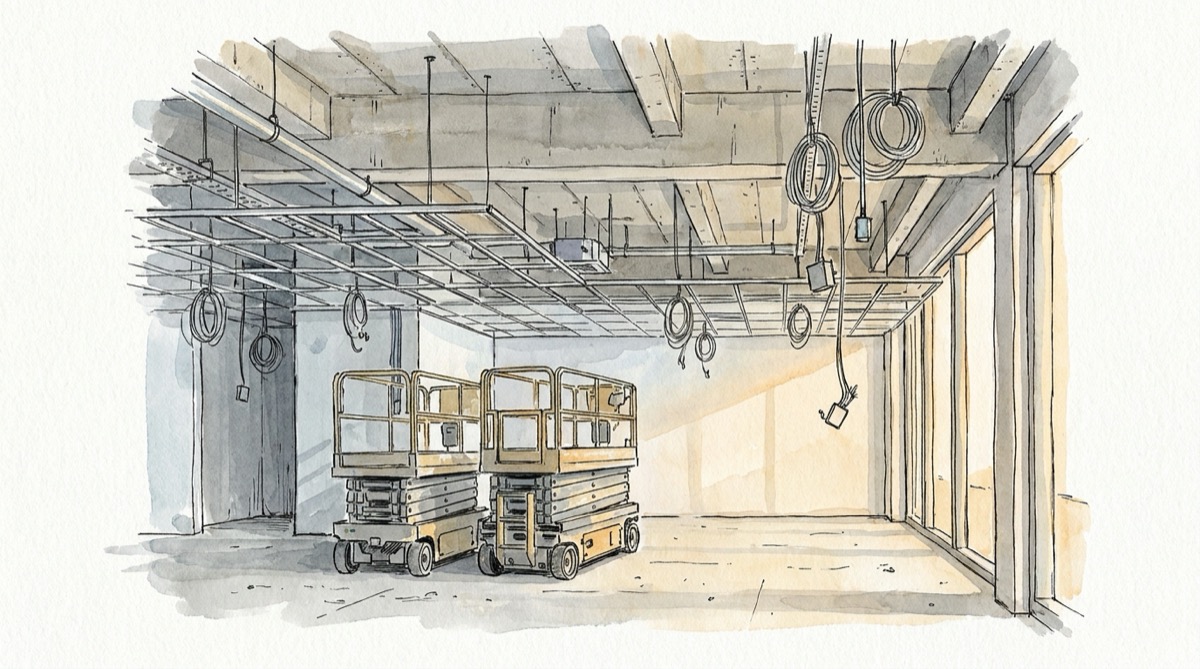
An owner holds the release of the Level 2 ceilings on a three-story medical office building while a tenant redraws its layout. The electrical sub's rough-in stops on Tuesday, September 8, 2026, and does not restart until Tuesday, September 29: fifteen working days with a foreman on site, two lifts on rent and a crew sent elsewhere, then a half-day to bring six electricians back. That is $16,488 the sub did not price. The project manager waits for the hold to end so the letter can state a real number, and the notice goes out on Wednesday, September 30, day 22. A construction delay notice deadline tracker in Excel exists for exactly this job, because under the standard AIA documents that notice was due on day 17, and nobody on the sub's side knew the date.
The number everyone carries in their head is 21 days. It is the general contractor's number, written into the prime contract. A subcontractor working under AIA A401-2017 has a shorter clock that starts on the same day, and a delay notice is due long before anyone knows how long the delay will last. This article builds the tracker around those two facts, then shows what a late notice actually costs under three different contract regimes, because the answer ranges from losing $1,960 to losing the whole claim.
Where the 21 Days Come From, and Why a Sub Gets 17
AIA A201-2017, the general conditions behind most private commercial prime contracts, sets the clock in Section 15.1.3.1: claims "shall be initiated within 21 days after occurrence of the event giving rise to such Claim or within 21 days after the claimant first recognizes the condition giving rise to the Claim, whichever is later." Section 15.1.6.1 applies the same notice to a claim for more time. Section 8.3.1 lists what qualifies for a time extension, including an act or neglect of the owner or architect, changes ordered in the work, unusual delay in deliveries and documented abnormal weather.
That clock belongs to the general contractor. The sub's clock is in A401-2017, Section 5.3. A claim that will become part of a claim the contractor must make under the prime contract has to be made "in sufficient time to permit the Contractor to satisfy the requirements of the Prime Contract," and it must be received by the contractor "not less than two working days preceding the time by which the Contractor's Claim must be made." If the sub misses that, it is bound "to the same consequences as those to which the Contractor is bound."
Run the ceiling hold through both clauses:
| Date | Day after event | What happens |
|---|---|---|
| Tue, Sep 8, 2026 | 0 | Owner holds Level 2 ceiling release, rough-in stops |
| Fri, Sep 25, 2026 | 17 | Last day the GC can receive the sub's notice under A401 Section 5.3 |
| Mon, Sep 28, 2026 | 20 | Last day of standby, fifteenth working day of the hold |
| Tue, Sep 29, 2026 | 21 | GC's own deadline to the owner under A201 Section 15.1.3.1; crew remobilizes |
| Wed, Sep 30, 2026 | 22 | The sub's notice actually goes out |
Two working days before a Tuesday is the Friday before it, so the sub's window is 17 calendar days. Over a weekend or a holiday it shrinks further. And if your subcontract was drafted by the GC instead of taken from the AIA form, it may state its own, shorter number. The tracker below takes whichever date comes first.
The "whichever is later" language in 15.1.3.1 is the only part of the clock that can move in your favor. If you first learned of the condition two days after it happened, the window runs from the later date. That only helps if the recognition date is written down with evidence, such as the email or the RFI response that told you. Without it, the event date governs.
A Delay Notice Is Due Before You Know the Delay
The day 22 letter was not careless. The project manager wanted to send a claim with a number in it, and on a continuing delay the number does not exist until the delay ends. That instinct is what kills delay claims, because the clock runs from the start of the event, not from the end.
A201 already solves this. Section 15.1.6.1 says the claim for time "shall include an estimate of cost and of probable effect of delay on progress of the Work" and, in the next sentence, "In the case of a continuing delay, only one Claim is necessary." An estimate is enough, and one notice covers a delay that keeps running. On the ceiling hold, a notice on day 3 with the daily rate and an estimated duration of two to four weeks would have been timely and would have covered every day that followed.
Price the daily rate before you write the notice, from field costs only. If the claim passes through to an owner under A201, Section 15.1.7 waives the contractor's "principal office expenses including the compensation of personnel stationed there," so home office overhead does not belong in the number. Here is how this sub's $16,488 is built, with this example's burdened rates:
| Cost line | Basis | Amount |
|---|---|---|
| Foreman kept on site | 8 hours at $96.50 per working day | $772.00 per day |
| Two scissor lifts on rent | $58.00 each per working day | $116.00 per day |
| Truck and storage container | Per working day | $92.00 per day |
| Daily standby rate | Sum of the three lines | $980.00 per day |
| Standby, Sep 8 to Sep 28 | 15 working days at $980.00 | $14,700 |
| Remobilization, Sep 29 | 6 electricians, 4 hours at $74.50 | $1,788 |
| Total delay cost | $16,488 |
A notice that meets the A201 and A401 language carries these items, and none of them requires knowing the end date:
- The event, its date, and who caused it, in one sentence.
- The recognition date and the document that established it, if it is later than the event date.
- The activities stopped or slowed, by schedule activity ID where you have one.
- The daily rate and what it is made of, as in the table above.
- An estimated duration and its effect on your completion dates, labeled as an estimate.
- A sentence stating that the delay is continuing and that you will update the estimate when it ends.
- Delivery to the notice address in the subcontract, with proof of receipt.
The same discipline applies on the owner side of the job. The owner decision log turns a late owner answer into a dated notice trigger, which is often where events like this ceiling hold begin.
What a Late Notice Costs Depends on the Clause
The usual warning says a late notice makes the claim worth nothing. Sometimes it does. The clause decides, and the three regimes a sub is most likely to work under give three different answers for the same $16,488 delay.
Owner-modified A201 with a waiver sentence. The standard text of 15.1.3.1 sets the 21 days but does not say what happens if you miss them. Some owners add a sentence such as "otherwise the Claim is waived." Under that sentence and A401 Section 5.3, a late notice is worth zero. A notice that reaches the GC on day 18 to 21 is late under A401, but the GC can still forward it on time, so its value depends on the GC acting that same day.
Unmodified A201. With no waiver sentence, a late notice becomes a legal question about how your state's courts read a notice clause that does not state its own consequence. For planning purposes, treat it as worth zero, because a claim you have to litigate before you can negotiate it is not money you can count on.
Federal job under the FAR. Time and money run on two separate clocks. FAR 52.249-10, the default clause for fixed-price construction, protects the contractor from termination and damages for an excusable delay only if it notifies the contracting officer in writing "within 10 days from the beginning of any delay (unless extended by the Contracting Officer)." FAR 52.242-14, Suspension of Work, does not bar a late money claim at all. It disallows "any costs incurred more than 20 days before the Contractor shall have notified the Contracting Officer in writing," and that limit does not apply when the delay comes from a written suspension order.
Here is the same ceiling hold valued by the day written notice is received. For the federal column, the day is when the contracting officer receives it, which on a subcontract means the prime has to forward your notice in time.
| Notice received | A401 + A201 with waiver | A401 + unmodified A201 | FAR 52.242-14 money | FAR 52.249-10 time |
|---|---|---|---|---|
| Day 3, Sep 11 | $16,488 | $16,488 | $16,488 | Timely |
| Day 17, Sep 25 | $16,488 | $16,488 | $16,488 | Late unless extended |
| Day 20, Sep 28 | $16,488 only if the GC forwards it by Sep 29 | Same, at the GC's discretion | $16,488 | Late unless extended |
| Day 22, Sep 30 | $0 | Contested | $14,528 | Late unless extended |
| Day 30, Oct 8 | $0 | Contested | $8,648 | Late unless extended |
On the federal job the day 22 notice loses $1,960, the cost of September 8 and 9, which were incurred more than 20 days before September 30. At day 30 it loses $7,840, eight working days of standby. The money claim shrinks a day at a time. The time claim is the one that dies first: by day 11 the 10 day window is gone and the extension depends on the contracting officer, and every day of delay without an extension is a day you either buy back by accelerating or pay as liquidated damages passed down from the prime. The acceleration cost claim calculator prices the first option, and the liquidated damages calculator prices the second.
On the private job, the gap between the GC's day 21 and the sub's day 17 is where the money is lost. A sub who believes it has 21 days and sends on day 20 has handed the GC a decision about whether to forward a late notice under a clause that binds the sub to the consequences.
Build the Delay Notice Tracker
One row per delay event, one control cell, and every deadline calculated from dates you type once. Put the run date in B2 as a typed date rather than =TODAY(), so a printed copy shows the date it was checked. Headers go in row 4 and events start in row 5.
| Column | Holds | Entry or formula |
|---|---|---|
| A | Event ID | E1, E2... |
| B | Description and cause | Typed |
| C | Event date | Typed |
| D | Recognition date, with its evidence in a note | Typed, same as C if no later evidence |
| E | Prime contract notice window, days | 21 under unmodified A201 |
| F | Working days the GC needs before its deadline | 2 under A401 Section 5.3 |
| G | GC's deadline to the owner | =MAX(C5,D5)+E5 |
| H | Your deadline | =WORKDAY(G5,-F5) |
| I | Notice received by the GC | Typed from the delivery receipt |
| J | Delay end date | Blank while the delay continues |
| K | Daily rate, field costs only | From the cost build-up |
| L | Days left | =IF(I5="",H5-$B$2,"") |
| M | Status | Formula below |
| N | Cost accrued so far | =K5*NETWORKDAYS(C5,IF(J5="",$B$2,J5)) |
Column H is the one that changes behavior. It turns the 21 days in everyone's head into the date the sub actually has to hit. If your subcontract states its own window, add it in column O and use =MIN(WORKDAY(G5,-F5),MAX(C5,D5)+O5) instead, which keeps the earlier of the two. WORKDAY takes an optional third argument for a range of holidays. Add one if the contract defines working days to exclude them.
The status in M5 names the action to take:
=IF(I5<>"",IF(I5<=H5,"SENT","SENT LATE"),IF($B$2>G5,"BLOWN",IF($B$2>H5,"CALL GC TODAY",IF(H5-$B$2<=3,"SEND TODAY","OPEN"))))
CALL GC TODAY is the state between your deadline and the GC's. The notice is late under A401, but the GC can still make its own deadline if it has your letter that afternoon, so the phone call matters more than the letter. BLOWN means both deadlines have passed and the event goes to a claim review with whoever handles your contract disputes.
Two summary cells go above the log. The first is the money that must leave the building in writing within three days:
=SUMIFS(N5:N60,M5:M60,"SEND TODAY")+SUMIFS(N5:N60,M5:M60,"CALL GC TODAY")
The second is the money already exposed, which is the number to report to the company's owner this week:
=SUMIFS(N5:N60,M5:M60,"BLOWN")+SUMIFS(N5:N60,M5:M60,"SENT LATE")
On a federal job, add one more column that applies the 52.242-14 lookback to a daily cost log on a second tab, so the claim shows only what survives the notice date. Type the contracting officer's receipt date in column I. With event IDs in column A of the cost log, dates in column B and amounts in column C:
=SUMIFS(CostLog!C:C,CostLog!A:A,A5,CostLog!B:B,">="&(I5-20))
The daily cost log is easier to defend when it matches the field record line for line. The construction daily log template captures crew counts and equipment on site each day, which is the evidence behind column K.
One Job, Five Events, Run on September 24
Here is the electrical sub's log on Thursday, September 24, 2026, the day before the ceiling hold's deadline. Every deadline uses a 21 day prime window and a 2 working day buffer.
| ID | Event | Event date | Recognized | GC deadline | Your deadline | Notice | Daily rate | Days left | Status | Accrued |
|---|---|---|---|---|---|---|---|---|---|---|
| E1 | Owner hold, Level 2 ceilings | Sep 8 | Sep 8 | Sep 29 | Sep 25 | $980 | 1 | SEND TODAY | $12,740 | |
| E2 | Late RFI answer, panel relocation | Sep 14 | Sep 14 | Oct 5 | Oct 1 | $410 | 7 | OPEN | $3,690 | |
| E3 | Utility transformer delivery slip | Sep 1 | Sep 2 | Sep 23 | Sep 21 | Sep 16 | $0 | SENT | $0 | |
| E4 | Owner scope walk, sequence hold, ended Sep 3 | Aug 27 | Aug 27 | Sep 17 | Sep 15 | $640 | -9 | BLOWN | $3,840 | |
| E5 | Owner-furnished shielding late | Sep 21 | Sep 22 | Oct 13 | Oct 9 | $520 | 15 | OPEN | $2,080 |
The send-today cell reads $12,740, still climbing at $980 a working day, and the notice behind it has to reach the GC by Friday. The exposed cell reads $3,840: the six-day sequence hold that started in late August that everybody discussed in the coordination meeting and nobody put in a letter. E3 carries no daily rate because the sub is asking only for time: A201 Section 8.3.1 lists unusual delay in deliveries among the causes that extend the Contract Time, and the notice went out on day 15 to protect it. E5 shows the recognition date at work: the shielding was due on the 21st but the owner's notice of the slip arrived on the 22nd, so the clock runs from the 22nd and the deadline lands on Friday, October 9.
Look at what the log does not need. It never asks how long E1 will last. It asks for the event date, the recognition date and the daily rate, and those were known on September 8. The notice that went out on day 22 in the opening example could have gone out with the same three facts on day 3.
The Weekly Routine That Keeps the Log Honest
A tracker that nobody opens on schedule is a record of missed deadlines. Fifteen minutes on the same morning every week keeps it working:
- Update B2 to today's date and sort by column L, smallest first.
- Send every SEND TODAY and call the GC on every CALL GC TODAY before noon.
- Add any new event from the daily logs, the RFI log and the coordination meeting minutes, even if nobody yet knows whether it will cost anything. A row costs nothing and a missing row costs the claim.
- For every continuing delay, check that the notice on file still matches the daily rate, and send an update when the estimate changes.
- Close a row by typing the end date in column J, which freezes the accrued cost.
- Check column E against the contract on every new project. Owners edit the A201 notice window, and the edited number can change from one job to the next.
The change order tracking log uses the same deadline column for changed work, and the two belong in one workbook, because a delay usually arrives with a change attached. Weather events follow the same clock with an extra documentation burden under A201 Section 15.1.6.2, which is what the weather delay log is built to carry. When a delay keeps temporary power, heat or site services running past their planned end, those costs belong in the daily rate too, and the temporary utilities cost tracker shows how to price them.
What to Do Before Your Next Delay
Open your current subcontract and the prime contract it incorporates. Find the prime's notice window and the clause that tells you how far ahead of the GC's deadline your claim must arrive, then type both numbers into columns E and F for every open event. If the prime adds a waiver sentence, mark the job so your project managers know a late notice there is worth zero. Then set one rule for the team: the notice goes out within three working days of the event, with an estimate, and it is updated as the delay continues. On the ceiling hold that rule would have protected $16,488 instead of leaving it to the GC's goodwill, and on a federal job it would also have protected the time extension.
The SheetCraft Construction Budget Tracker holds the money side of every row in this log. Log each delay cost as an actual against its line item, enter the claim as a change order when it is approved and watch it flow through the budget, and keep the payment history by sub and supplier that backs up your daily rate. It does not calculate notice deadlines, so add the delay notice tab above beside it and point column K at the costs the budget tracker already records.
Related template
Construction Budget Tracker
Track every line item, change order, and payment across your entire project. Spot a $23K billing discrepancy before it hits your bottom line — not after.
Get the Template — $49