CSI Cost Codes in a Construction Budget: Where to Stop Coding
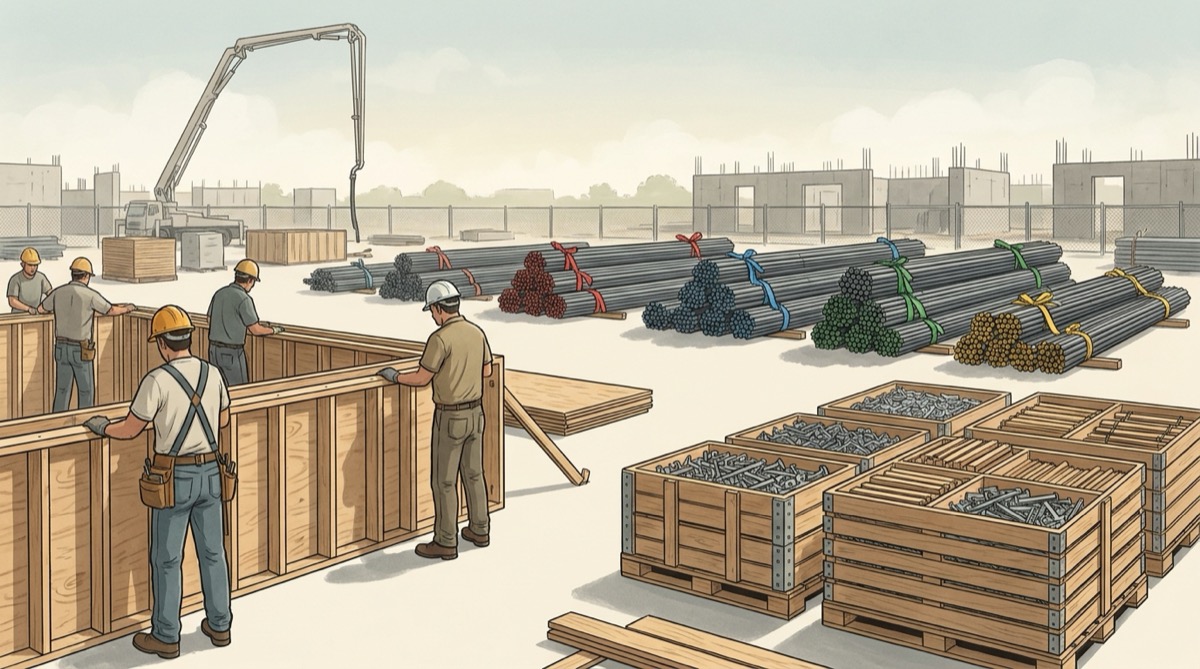
Here's a concrete example of what goes wrong. The concrete line on a job shows 3.7 percent over. The project manager calls it noise and moves on. Six weeks later the same line is projecting $20,417 over budget, and most of the job's fee on that trade is gone. The cost report never lied, but it could only answer the questions its codes allowed. That is the real decision behind CSI cost codes in a construction budget. MasterFormat tells you how to number things, but it doesn't tell you where to stop numbering. Stop too high and a labor overrun hides behind a late material invoice. Stop too low and your foreman's timecards turn the report into fiction.
This article covers where to put that line, how to build the code so Excel can roll it up and split it apart, and what the brand new MasterFormat 2026 edition means for a code list you have been using for years.
MasterFormat Organizes Specifications, Not Your Money
MasterFormat is published by the Construction Specifications Institute (CSI). Its job is to organize the project manual so the architect, the estimator, and the subs find the same requirement in the same place. It groups work by result: Division 03 is Concrete, Division 09 is Finishes, Division 26 is Electrical. Your cost report asks different questions. Who is losing money, is it labor or material, and is the problem real or just timing? The spec numbering was never designed to answer those.
The numbering also moves. When CSI replaced the 1995 edition in 2004, the 16 divisions became 50 and the five-digit numbers became six digits. Kevin Miller and Jay Newitt of Brigham Young University documented the shift in the 2005 ASC conference proceedings. Old Division 15 Mechanical split into Division 22 Plumbing and Division 23 HVAC. Old Division 16 Electrical became 26 Electrical, 27 Communications, and 28 Electronic Safety and Security. Fire suppression moved out of old Division 13 into its own Division 21. For a typical building project, the paper counts 23 active divisions instead of 16. Cast-in-place concrete went from 03300 to 03 30 00.
It is moving again right now. CSI's standards page announces MasterFormat 2026 with 2,185 new listings and 617 reorganized listings. It adds that the majority of the changed content stays in the same divisions. Read that sentence as a cost accountant would. The two-digit division is the stable part of the system. The deeper you tie your cost codes to specific section numbers, the more of your cost history a renumbering can break.
| Level | Example | Stability across editions | What it can tell you |
|---|---|---|---|
| Division | 03 Concrete | High. Content mostly stays in its division | Owner and lender reporting, trade totals |
| Level 2 | 03 30 00 Cast-in-Place Concrete | Medium | Which scope inside a trade is drifting |
| Level 3 section | Six-digit section in the project manual | Lowest. This is where reorganized listings land | Submittals, specs, RFIs. Rarely cost |
The Division-Only Budget: A $20,417 Overrun That Reported as $5,100
Take a general contractor that self-performs concrete on a two-story commercial building. The concrete budget is $228,000: $96,000 labor, $118,000 material (ready-mix, rebar, forming supplies), and $14,000 equipment. The pours are 60 percent complete by quantity. The budget carries a single code, 03.
The cost report shows earned value of $136,800 (=228000*0.60) against $141,900 posted. The variance is minus $5,100, 3.7 percent of earned. If you project the posted cost forward at the same rate, =141900/0.60 gives $236,500 at completion, an $8,500 overrun. That is annoying, but it isn't alarming.
Now split the same money by cost type.
| Cost type | Budget | Earned (60%) | Posted | Delivered, not invoiced | True actual | Variance | Estimate at completion |
|---|---|---|---|---|---|---|---|
| Labor | $96,000 | $57,600 | $69,400 | $0 | $69,400 | -$11,800 | $115,667 |
| Material | $118,000 | $70,800 | $64,100 | $7,150 | $71,250 | -$450 | $118,750 |
| Equipment | $14,000 | $8,400 | $8,400 | $0 | $8,400 | $0 | $14,000 |
| Total | $228,000 | $136,800 | $141,900 | $7,150 | $149,050 | -$12,250 | $248,417 |
Labor is running 20.5 percent over what the installed quantity earned. Material looked $6,700 under, but only because the ready-mix supplier bills monthly and $7,150 of delivered tickets hadn't posted yet. The late invoice covered up most of the labor overrun. Labor projects to $115,667 against a $96,000 budget, so the true overrun at completion is $20,417, not $8,500. The $11,917 difference is money that was already gone on the day the report called the line "slightly over."
A division-only code can't catch this, because the question that matters (crew productivity or material price?) is not in the code. It takes a second dimension, and MasterFormat doesn't provide one.
The Section-Level Budget: 100 Codes the Field Cannot Post
The instinctive fix is to go deep. Every Level 3 section gets its own code, with labor, material, and equipment under each. Concrete alone becomes a dozen codes, and the whole job ends up with more than a hundred. The estimate looks rigorous. Then the timecards come in.
A foreman filling out a timecard at 4:30 in the afternoon does not split a crew's eight hours between forming, placing, and finishing. The whole day goes to the code at the top of the list, or to the one used yesterday. Here is the same $69,400 of labor, first as posted and then as the project manager rebuilt it from the daily logs.
| Labor code | Budget | Earned (60%) | Posted | Posted variance | Rebuilt from daily logs | Real variance |
|---|---|---|---|---|---|---|
| 03 11 Formwork | $41,000 | $24,600 | $12,300 | +$12,300 | $34,200 | -$9,600 |
| 03 21 Reinforcing | $18,000 | $10,800 | $0 | +$10,800 | $10,900 | -$100 |
| 03 31 Placing | $22,000 | $13,200 | $49,800 | -$36,600 | $15,000 | -$1,800 |
| 03 35 Finishing | $15,000 | $9,000 | $7,300 | +$1,700 | $9,300 | -$300 |
| Total | $96,000 | $57,600 | $69,400 | -$11,800 | $69,400 | -$11,800 |
The total is right and every line is wrong. The posted report says placing is 277 percent over and the formwork crew is 50 percent under budget. You would reward the crew that is losing money and lean on the one that isn't. The real problem was formwork, $9,600 over at 60 percent complete, and the granular report pointed away from it. More codes did not add information here. They added a way to post things wrong.
Where to Stop: Division, a Level You Can Post, and a Cost Type
The rule that holds up in the field has three parts. Code every line to a division, which gives you stable rollups for owners and lenders. Go one level deeper only where someone can post to that level honestly. Always add a cost type suffix. The test for "honestly" is practical. Hand your foreman yesterday's crew list and ask them to write the codes from memory. Any code they hesitate on is too fine for labor.
| Cost type | Suffix | Code it at the level of | Example | Why |
|---|---|---|---|---|
| Labor | L | What the foreman can tell apart on a timecard | 03 10-L forming, 03 30-L place and finish | Timecards set the true resolution of labor cost |
| Material | M | What a purchase order line distinguishes | 03 30-M ready-mix, 03 20-M rebar | Invoices post themselves if the PO carries the code |
| Equipment | E | Division, unless a rental is job-specific | 03 00-E | Pumps and rentals rarely map to one scope |
| Subcontract | S | The buyout package, whatever sections it spans | 09 20-S drywall package | One contract, one schedule of values, one code |
| Other | O | Division | 01 50-O temporary facilities | Keeps small costs from polluting the lines above |
The subcontract row matters more than it looks. A drywall sub's contract usually covers metal stud framing, gypsum board, and batt insulation, which sit in Divisions 09 and 07 in the project manual. If the budget splits that one contract across three spec-based codes, every progress billing has to be allocated by guesswork. Each line then shows a variance that means nothing, even though the total is correct. Code the package, and keep the spec sections it covers in a crosswalk column. The subcontract buyout log is where that package boundary gets decided.
On the example job, the structure works out to about 40 codes: 23 divisions, a second level where self-performed trades need one, and a suffix on everything. That is small enough to post correctly, and it still separates a productivity problem from a price problem.
Building the Code So Excel Can Slice It
The code is one text string, 03 30-L: division, level two, dash, cost type. Its value in Excel is that every rollup becomes a formula on that string, so you never need a second budget.
- Column A, the code, formatted as Text before you type. If you type
0330into a General-formatted cell, Excel stores the number 330. Then=LEFT(A5,2)returns "33", and your concrete rolls up into Division 33, Utilities, without an error message. The space-separated form03 30-Lcan't be read as a number, which is one more reason to use it. - Column B, division:
=LEFT(A5,2). This is the owner report key. - Column C, cost type:
=RIGHT(A5,1). This is the diagnostic key. - Column D, budget. Column E, percent complete by quantity, taken from installed quantities, never from dollars spent.
- Column F, earned:
=D5*E5. What the work in place should have cost. - Columns G and H, posted cost and delivered-not-invoiced. Column H is where the $7,150 of ready-mix tickets goes. Column I, true actual:
=G5+H5. - Column J, variance:
=F5-I5. Negative means the work in place cost more than it earned. - Column K, estimate at completion:
=IF(E5>0,I5/E5,D5). If nothing is installed yet, it holds the budget instead of dividing by zero. - Column L, the flag:
=IF(AND(C5="L",E5>=0.2,K5>D5*1.05),"LABOR FADE",""). It fires once a labor line is at least 20 percent installed and projecting more than 5 percent over. Below 20 percent the projection is mostly noise, so the flag stays quiet there.
The rollups read the string directly. Labor for all of concrete: =SUMIFS($I$5:$I$200,$A$5:$A$200,"03*-L"). All subcontract cost on the job: =SUMIFS($I$5:$I$200,$C$5:$C$200,"S"). The division total for the lender draw: =SUMIFS($I$5:$I$200,$B$5:$B$200,"09"). In the concrete wildcard, the * stands for any characters, so it catches 03 10-L and 03 30-L alike.
Two guard rails keep the list clean. Put the approved codes on a Codes tab and apply Data Validation (List) to column A, so nobody can invent 03-30L at month end. In a check column, =IF(COUNTIF(Codes!$A:$A,A5)=0,"NOT IN LIST","OK") catches anything pasted in around the validation. Then =COUNTIF($M$5:$M$200,"NOT IN LIST") belongs on the summary tab, and it should read 0 before the report goes out.
The crosswalk to the project manual sits on a Map tab. Column A holds your cost code, column B the spec sections it covers. =XLOOKUP(A5,Map!$A:$A,Map!$B:$B,"UNMAPPED") brings the sections into the budget for anyone who needs to trace a cost to a spec. When the next project manual arrives in the 2026 numbering, you edit the Map tab. Your cost codes and your cost history don't change.
Migrating a Legacy Code List Without Breaking Your History
Many small and mid-size contractors still run a code list that dates from the 1995 edition: 15 for everything mechanical and 16 for everything electrical. It still works on the job, but it breaks down the day you try to compare costs across years. A 2019 job coded 15 and a 2026 job coded 22 and 23 can't be averaged without a mapping. That comparison is the whole point of a historical unit cost database.
| 1995 division | Current division(s) | Migration rule |
|---|---|---|
| 15 Mechanical | 22 Plumbing, 23 HVAC | Split by subcontract. Plumbing and HVAC are usually separate packages |
| 13 Special Construction (fire suppression) | 21 Fire Suppression | Move fire sprinkler packages only. The rest of 13 stays |
| 16 Electrical | 26 Electrical, 27 Communications, 28 Electronic Safety and Security | Split only if low-voltage is a separate package. Otherwise map all to 26 and note it |
| 2 Site Work | 31 Earthwork, 32 Exterior Improvements, 33 Utilities | Split by scope. Paving and site utilities usually have their own subs |
| 3 to 14 | 03 to 14 | Add a leading zero and store as text |
Miller and Newitt's advice from 2005 still applies to the 2026 edition: never switch code structures in the middle of a project. Open jobs finish on the list they started with, and new jobs start on the new one. Convert history with a mapping column, not by rewriting old rows. Keep the original code in one column and the mapped code in the next, so any comparison can be audited. If your history was coded loosely to begin with, the migration is a good time to clean it up, because you are already touching every row.
Once the codes are fixed, the earned value indices and the monthly project cost report finally have something reliable to read. Both are only as good as the code structure underneath them.
The Recommendation
Code to the division first, because that is the level MasterFormat keeps stable and the level owners and lenders read. Go one level deeper only for self-performed work and only where a foreman can post it from memory. Put a cost type suffix on every code, because the division-only report hid a $20,417 overrun behind a $7,150 invoice lag, and a suffix would have shown it at 60 percent complete. Store codes as text, lock them with data validation, and keep the spec sections on a separate crosswalk tab. That way a new MasterFormat edition means editing a map, not rebuilding your cost history.
The SheetCraft Construction Budget Tracker already organizes the budget by CSI MasterFormat division with fully customizable categories. It also carries the automatic variance columns, the percent complete versus percent spent dashboard, the projected final cost, and the change order log. Rename its categories to the division-plus-suffix codes from this article, and add the delivered-not-invoiced column and the labor fade flag beside the variance. That gets you a cost report that separates a crew problem from a supplier's billing cycle while there are still 40 percent of the pours left to recover it.
Related template
Construction Budget Tracker
Track every line item, change order, and payment across your entire project. Spot a $23K billing discrepancy before it hits your bottom line — not after.
Get the Template — $49